

In our ongoing effort to enhance your experience with our company, we’re excited to introduce a game-changing new feature: Balance. Designed to simplify and streamline your payment process, Balance is here to revolutionize the way you manage your invoices and payments.
Introducing Balance #
Balance is a convenient feature integrated into our client portal, allowing you to maintain a prepaid balance that can be used to pay for your invoices seamlessly. Say goodbye to the hassle of logging in to PayPal every time you need to pay an outstanding invoice. With Balance, you can fund your account once and use those funds to pay for future invoices with just a few clicks. The Balance feature lets you prepay funds into your BEEPEC account, making payments instant and hassle-free. Instead of processing a payment for each invoice, you can pay directly from your balance with one click.
Benefits of Using Balance #
- Save Time and Effort: With Balance, you no longer need to enter your PayPal account every time you make a payment. No repeated checkouts: Skip entering payment details every time. Simply fund your account once, and you’re ready to go. This streamlined process saves you time and effort, allowing you to focus on what matters most – your projects. Pay invoices and unlock deliveries immediately
- Never Miss a Payment: By maintaining a prepaid balance, you can ensure that you always have funds available to pay your invoices promptly. Say goodbye to late payments and missed deadlines, and enjoy peace of mind knowing that your account is always topped up and ready to go.
- Flexible Payment Options: Balance gives you the flexibility to fund your account using any payment method accepted by PayPal. Whether you prefer to use a credit card, bank transfer, or PayPal balance, the choice is yours. This flexibility ensures that you can manage your finances in a way that works best for you.
- Team-friendly: Team members can pay from the shared balance
Adding Funds to Your Balance #
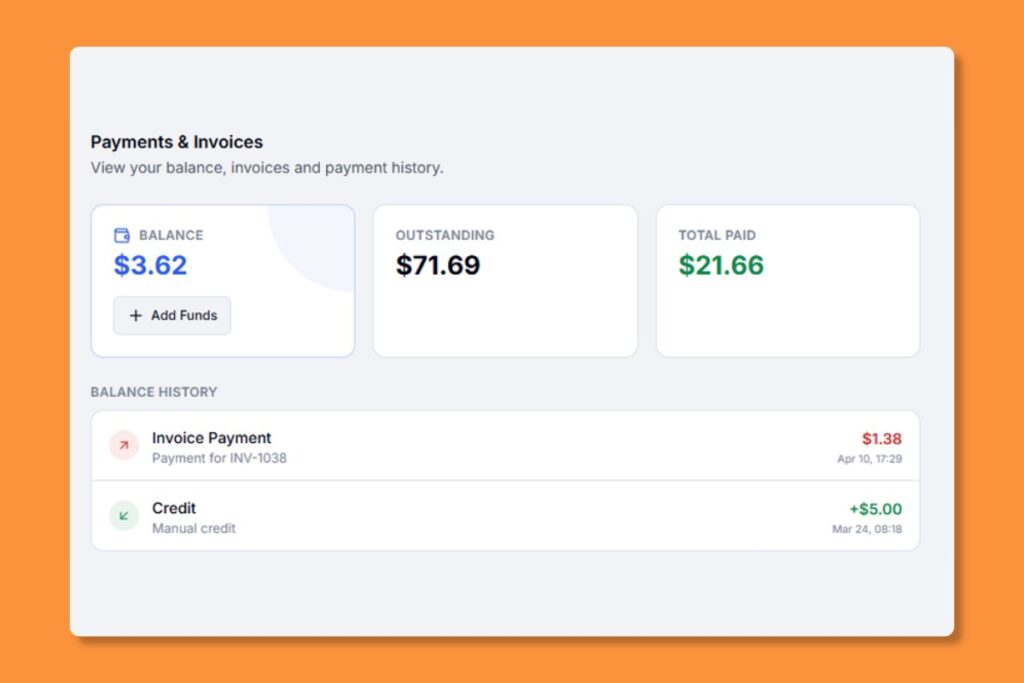
- Go to Settings from the sidebar
- Your current balance is displayed at the top of the Payment section
- Click “Add Funds”
- Enter the amount you’d like to add (minimum $1.00)
- Choose a payment method: “Pay with PayPal” Opens PayPal in a new window
- Complete the payment” funds are added to your balance immediately
How to Use Balance #
Using Balance is simple and straightforward. Here’s how it works:
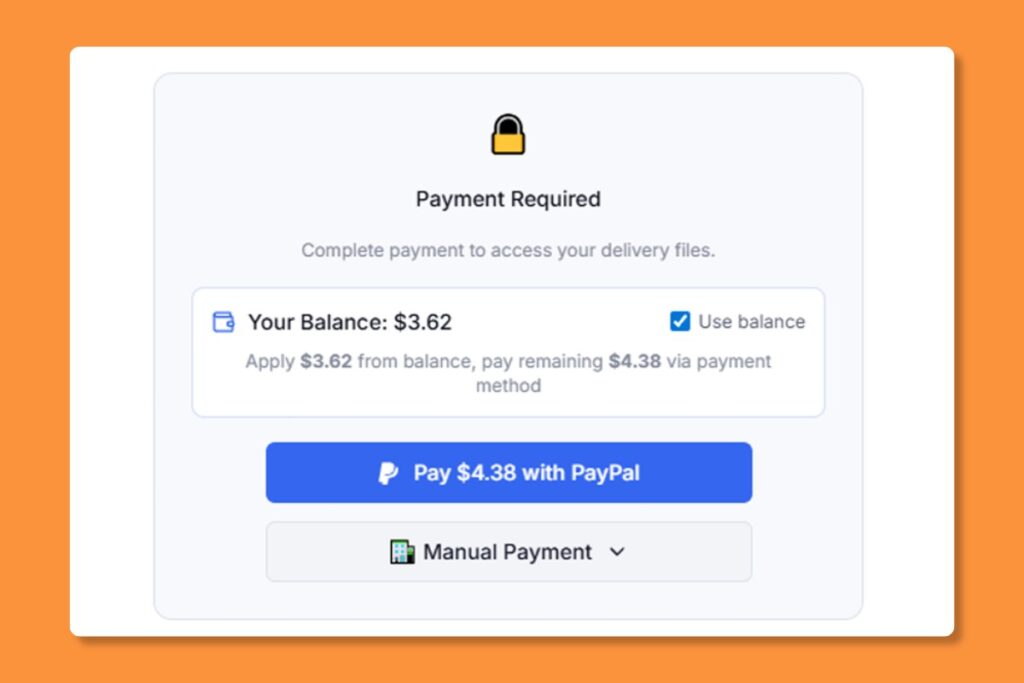
- When you have sufficient funds, the “”Pay from Balance”” option appears on invoices and delivery gates:
- Open an unpaid invoice or a gated delivery
- Click “Use Balance”
- The amount is deducted instantly and the content is unlocked
Viewing Transaction History #
In Settings, scroll to the Balance History section to see all top-ups, payments, and adjustments with dates and descriptions.
Get Started Today #
Ready to experience the convenience and efficiency of our Balance feature? Log in to your client portal account now and start using Balance to streamline your payments. If you have any questions or need assistance, our dedicated support team is here to help.
At BEEPEC, we’re committed to providing you with the tools and resources you need to succeed. Try out Balance today and take the hassle out of managing your invoices and payments.


