

In our ongoing commitment to providing you with a seamless and efficient experience, we’re thrilled to introduce you to the invoice management capabilities of our client portal, https://portal.beepec.com/. With the ability to view, download, track, and pay invoices all in one place, managing your finances has never been easier. Let’s explore how you can harness the power of our portal to streamline your invoice management process:
Tracking Invoice Status #
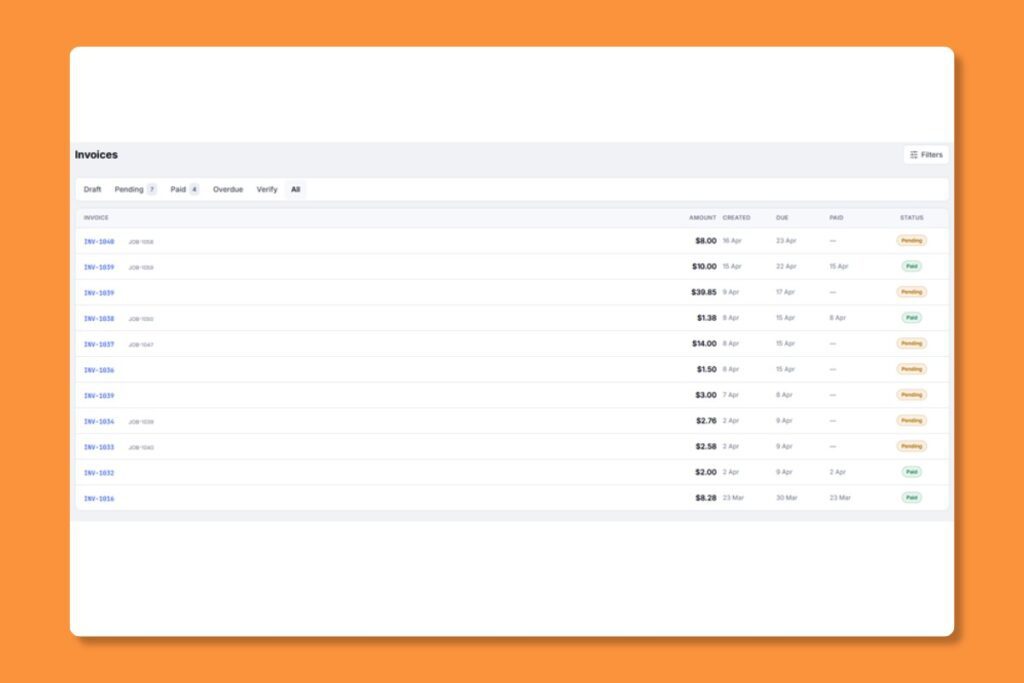
Once logged into your account, navigate to the “Invoices” menu to access a comprehensive list of all your invoices. Here, you’ll find detailed information about each invoice, including the invoice number, date, amount, and status or review a specific invoice or provide documentation for accounting purposes.
Keeping track of your invoices – both paid and unpaid – is essential for maintaining financial transparency and accountability.
Our client portal makes it easy to monitor the status of each invoice in real-time. From “Unpaid” to “Paid” you’ll have visibility into the payment status of every invoice, allowing you to stay organized and informed at all times.
Navigate to Invoices from the sidebar to see all your invoices with status, amount, and due date.
Invoice Statuses #
- Pending: Invoice is issued and awaiting payment.
- Paid: Payment has been received.
- Overdue Payment is past the due date.
- Verify: Invoices with Manual / Bank Transfer method need our team verify and confirm your payment.
Paying an Invoice #
- Click on an invoice to view its details
- Review the line items and total amount
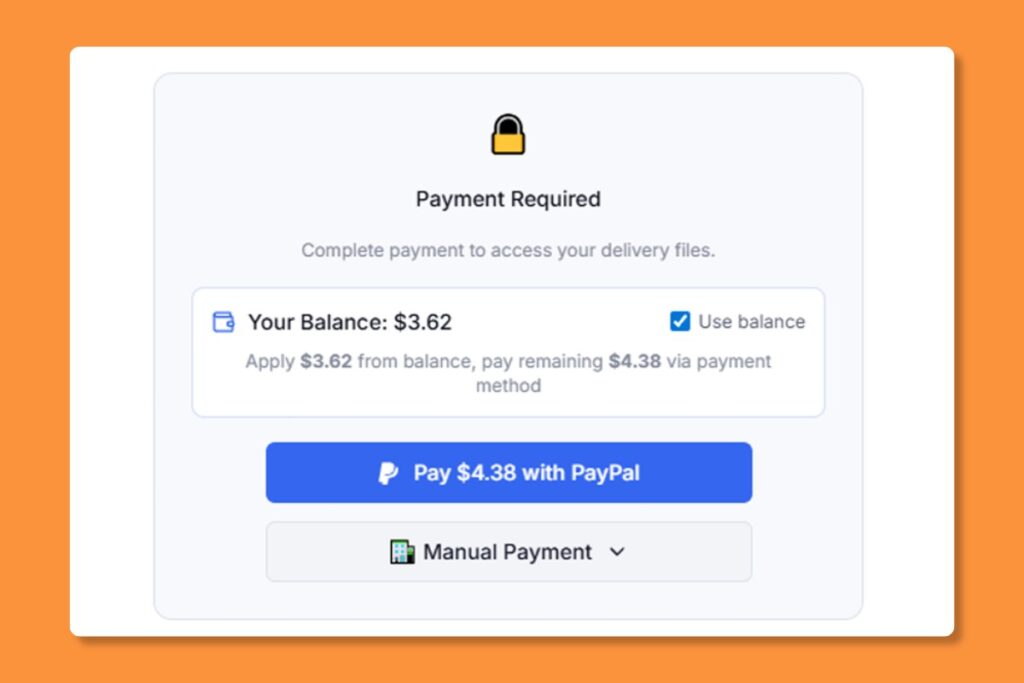
- Click “Pay Now”
- Choose your payment method:
- Pay with PayPal: Redirects to PayPal
- Use balance: Pay from your prepaid account balance
Simply click on the invoice to view its details and download a PDF copy for your records.
Downloading Invoice PDF #
Click the “PDF” button at the bottom of any invoice to save a copy for your records.
Get Started Today #
Ready to revolutionize the way you manage your invoices? Log in to your account on https://portal.beepec.com/ to begin leveraging the powerful invoice management capabilities of our client portal. Whether you’re tracking, downloading, or paying invoices, you’ll find everything you need conveniently located within the portal. Should you have any questions or need assistance at any point along the way, our dedicated support team is always here to help – simply reach out via the portal’s messaging system for prompt assistance.
Thank you for choosing us as your trusted partner for all your order fulfillment needs. We’re committed to providing you with a superior experience, and we’re confident that our client portal will exceed your expectations for invoice management.


