

We are excited to announce the launch of our new client portal: https://portal.beepec.com/
This innovative platform has been designed with your convenience in mind, providing you with a seamless and efficient way to manage your orders with us.
So, what exactly does our new client portal offer? Let’s take a closer look:
Creating Your Account #
Getting started with our new client portal is easy! Simply follow these steps:
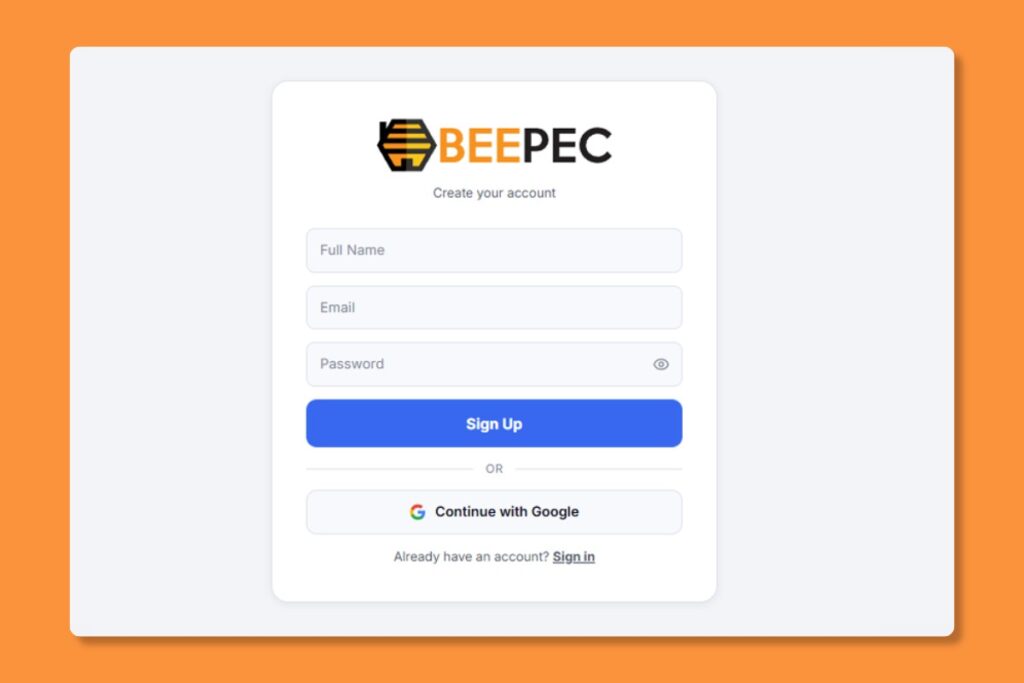
To get started with BEEPEC, you’ll receive a personalized onboarding link from our team via email.
- Set your name: Add your Full name
- Set your email: Add your email
Set your password” Choose a secure password for your account. You can also sign up using your Google account for faster access. - Complete business details: Enter your company name, contact information, and billing address.
- Set style preferences: Pick a style template or upload reference images so our editors match your brand from day one.
Explore the various features of the client portal, such as submitting orders, tracking order status, and accessing account information.
Placing Your First Order #
- Log in at: https://portal.beepec.com/
- Click “New Order” from the sidebar or dashboard.
- Order name: Fill your order name.
- Rush order: turn on “🔥 Rush” toggle then our team will prioritize processing that order.
- Product Types: Select the product types (e.g., Photo Editing, Virtual Staging, Floor Plans) you’ll be ordering. You can select more than 1 item.
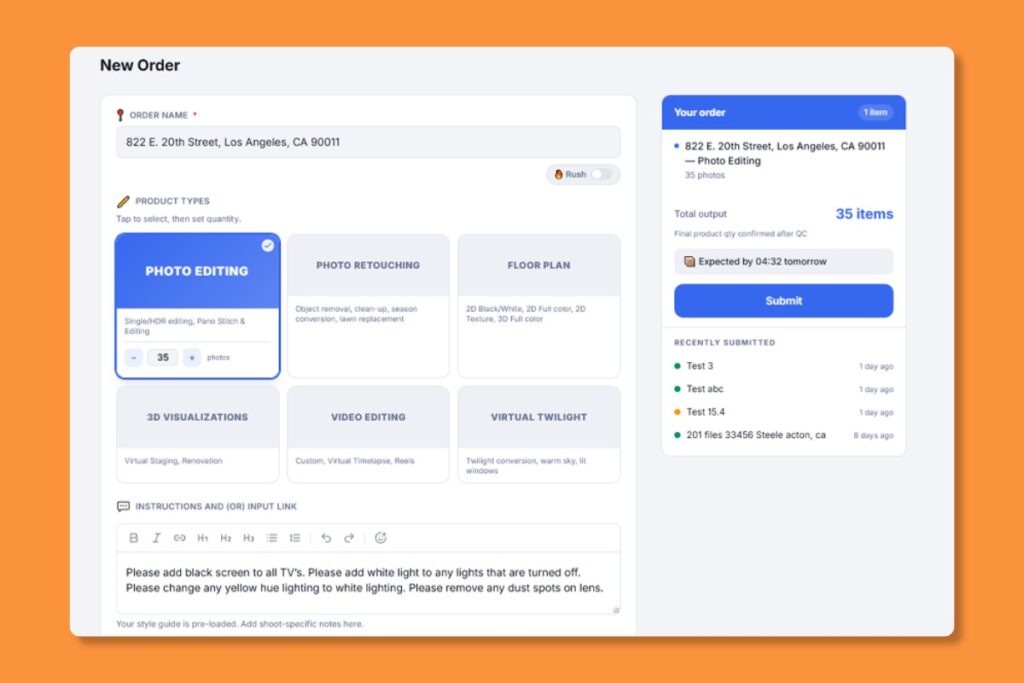
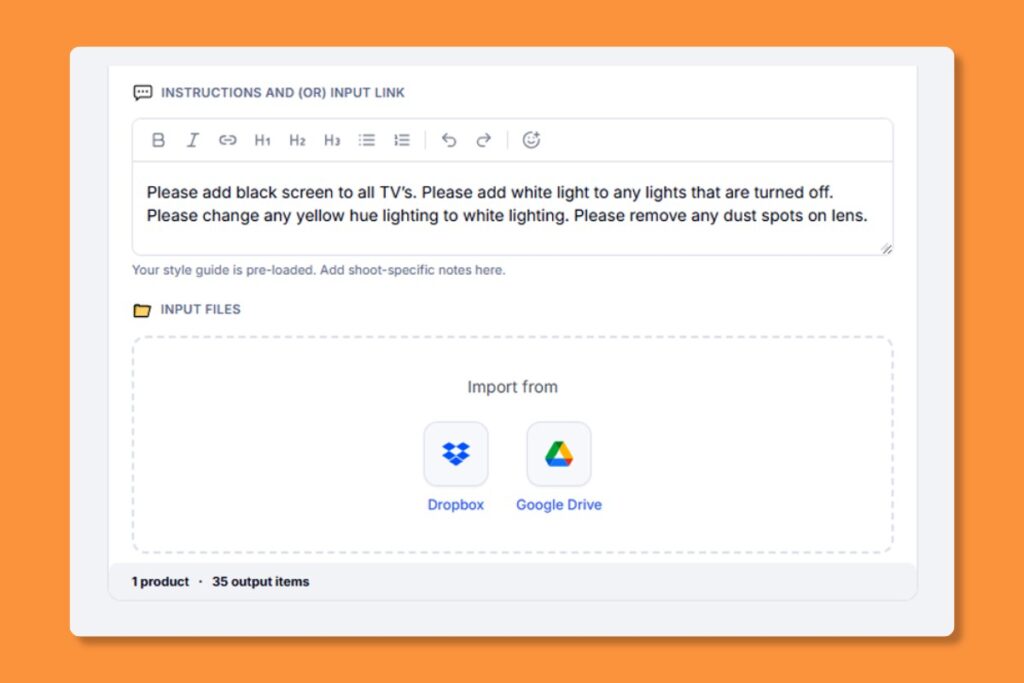
Instructions and (or) Input link: Fill the special requirements need us to follow. Or paste the link to your files that you have prepared.
Input Files: You can import your files from Dropbox or Google Drive, click and choose your files.
Add another order: You can add more than on order per time, mean create a batch of orders available.
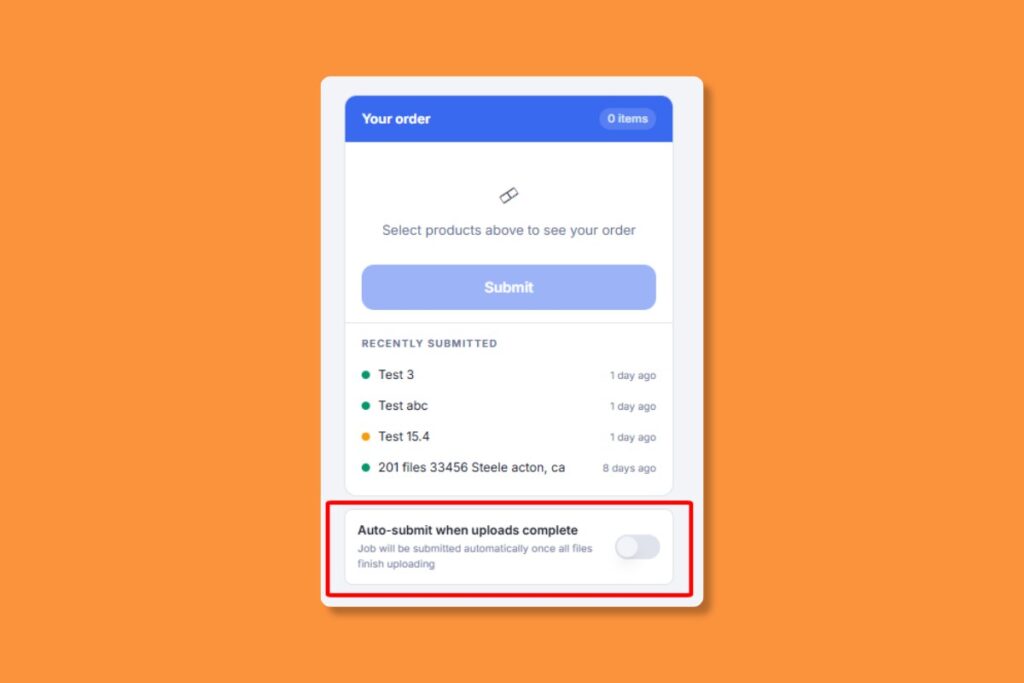
Auto-submit when uploads complete: This option help your order will be submitted automatically once all files finish uploading. That’s a big help when you have more files need to upload.
Submit order: Don’t forget to do it. You will then received a Order Confirmation email from us. Your order is now in our queue! You’ll receive email notifications as it progresses.
Experience the Difference #
We believe that our new client portal will revolutionize the way you manage your orders with us, providing you with greater convenience, efficiency, and control. We invite you to explore https://portal.beepec.com/ today and experience the difference for yourself.
Thank you for choosing us as your trusted partner. We look forward to serving you through our new client portal and continuing to exceed your expectations.
Need help? Our dedicated support team is here to assist you every step of the way. Simply reach out us or live chat for prompt assistance.


